
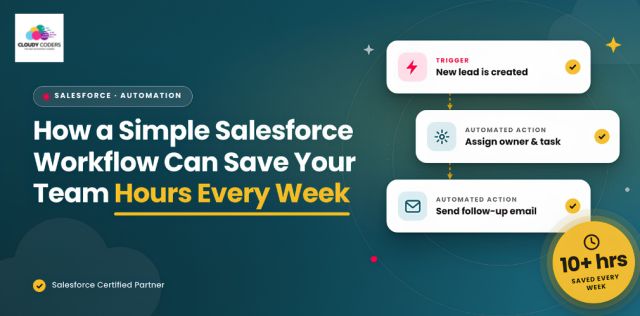
The best automation is not always the most complicated one. Sometimes, one simple workflow can make the biggest difference.
As businesses grow, teams often spend more time managing routine tasks than focusing on customers and revenue.
Updating records, sending reminders, assigning leads, and creating follow-up tasks may seem like small activities. But when teams repeat these tasks every day, they can eat up valuable working hours.
This is where Salesforce automation can make a real difference.
The Problem: Too much time spent on manual work
Imagine a sales representative has just finished a meeting with a potential customer. After the meeting, they may need to:
- Update the opportunity stage
- Create a follow-up task
- Send an email
- Set a reminder
- Update the next action
Doing this once isn't a problem. But when a sales team handles dozens of opportunities every week, these small tasks add up quickly. Manual processes can also lead to missed follow-ups, inconsistent data, delays, and human errors.
The Solution: Let Salesforce handle the repetitive work
A well-designed Salesforce Flow can handle repetitive actions based on specific conditions and business processes.
For example:
When an opportunity reaches the “Proposal Sent” stage:
- Salesforce creates a follow-up task
- Salesforce sends a reminder
- Salesforce updates required information
- Salesforce notifies the salesperson or manager
The team doesn't have to remember every step. Salesforce handles the routine work in the background. This gives employees more time to focus on customers, conversations, and closing deals.
Where Salesforce automation can help
1. Follow-Up Reminders
Sales teams shouldn't have to depend on memory or spreadsheets to remember every follow-up. Salesforce can automatically create tasks and reminders based on opportunity stages or dates.
2. Lead Assignment
When a new lead enters Salesforce, it can automatically be assigned to the right salesperson based on predefined rules. This helps reduce delays and ensures that leads are followed up on quickly.
3. Record Updates
Certain fields and records can be updated automatically when specific actions take place. This reduces repetitive data entry and keeps CRM information more consistent.
4. Notifications
Salesforce can notify managers or team members when an important event occurs, such as a high-value opportunity changing stages or a lead remaining untouched for too long.
Why start with one workflow?
Businesses don't need to automate everything at once. A better approach is to start with one repetitive process that takes up a lot of time.
Once you identify that process, automate it, measure the results, and then move to the next opportunity.
The real value of automation
The biggest benefit isn't just saving a few minutes here and there. It's giving your team more time to focus on work that requires human attention.
Instead of spending hours updating CRM records, sales representatives can spend more time:
Talking to customers → Building relationships → Following up → Closing deals
At the same time, managers get better visibility and more consistent CRM data.
Final thoughts
Salesforce automation doesn't always need to be complex. A single, well-planned workflow can reduce repetitive tasks, improve follow-ups, minimize errors, and give your team valuable time back. The key is to automate the right process, not simply automate for the sake of automation.
At Cloudy Coders, we help businesses identify manual processes and bottlenecks and build Salesforce solutions around their actual business processes—from workflow automation and customization to integrations and CRM optimization.
Start with one process. Make it smarter. Then build from there.
Need help choosing the right Salesforce solution? Let’s talk.