The Honest Answer: 3 to 16 Weeks
If someone tells you Salesforce can be implemented in a week, they are either setting up a blank org and calling it done, or they are selling you something. Here are realistic timelines based on 120+ actual US implementations.
Timeline by Project Size
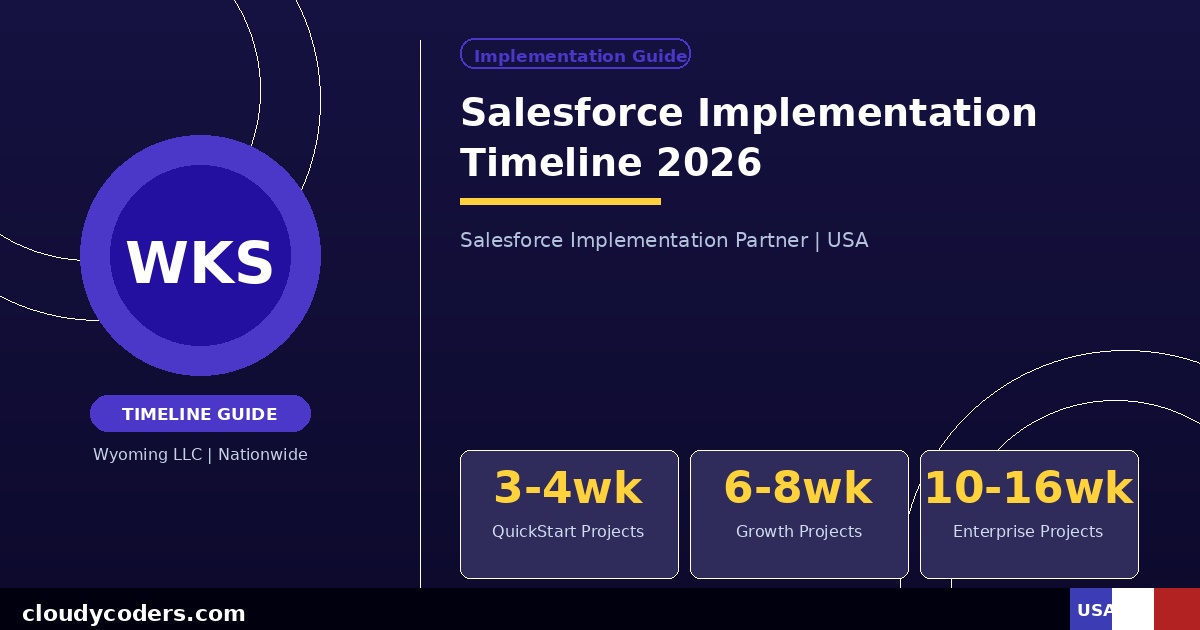
QuickStart: 3-4 Weeks
What it includes: Sales Cloud only, 1-10 users, standard setup with minimal customization, one simple integration (email or calendar), data import from one source, 4 hours of training.
What it does not include: Complex workflows, custom automation, CPQ, multiple integrations, or extensive data migration.
Best for: Small businesses getting started with Salesforce for the first time.
Growth: 6-8 Weeks
What it includes: Sales Cloud plus Service Cloud, 10-50 users, custom page layouts and fields, automated workflows and approval processes, 2-3 integrations, data migration from existing CRM, 8 hours of role-specific training.
Best for: Growing companies replacing an existing CRM or expanding Salesforce from basic to full CRM.
Enterprise: 10-16 Weeks
What it includes: Multiple clouds (Sales, Service, CPQ, Marketing, or industry-specific), 50+ users across multiple departments, complex custom automation, ERP integration, advanced dashboards and analytics, change management support, phased rollout across business units.
Best for: Established companies with complex requirements or multiple divisions.
What Happens Each Week
Weeks 1-2: Discovery and Design
We interview your team, document current processes, map data requirements, design the system architecture, and finalize scope. This phase prevents expensive rework later. Rushing it creates problems that cost 3x as much to fix in week 8.
Weeks 3-5: Build
Configure objects, fields, page layouts, profiles, and permission sets. Build automation rules, workflow alerts, and process builders. Set up integrations with external systems. Migrate and clean historical data.
Weeks 6-7: Test
Your team tests real scenarios using actual data. We fix issues found in testing. We validate that all integrations are flowing data correctly. We check that automation fires at the right time in the right conditions.
Week 8: Train and Go Live
Role-specific training for each user group. Documentation delivered. Final data migration run. System goes live. One to two weeks of hypercare support where we are available same-day for any issues.
What Makes Implementations Take Longer
Dirty Data: If your existing CRM or Excel files have duplicate records, incomplete fields, and inconsistent formatting, data cleanup adds 2-4 weeks. Clean your data before the project starts.
Scope Creep: "Can we also add this feature?" mid-project is the most common cause of blown timelines. Agree on scope before signing, then do additional phases afterward.
Slow Stakeholder Decisions: If the person who approves business requirements takes two weeks to respond to emails, the project takes two weeks longer. Assign a dedicated internal project lead with authority to make decisions.
Complex Integrations: Connecting to a legacy ERP with an outdated API adds time. Budget 3-6 extra weeks for any integration with systems more than 10 years old.
Multiple Decision Makers: When five people must approve every design decision, projects slow dramatically. One accountable decision maker is essential.
What Shortcuts Cost You
Cutting discovery to save time creates solutions that do not fit your process. Skipping testing means bugs hit users in production. Skipping training means nobody uses Salesforce and the project fails. Skipping data migration means starting with an empty CRM that feels useless. Every shortcut has a cost that is almost always larger than the time or money saved.
How to Keep Your Project on Time
- Assign one internal person as project owner with real decision-making authority
- Respond to questions from your consultant within 24 hours
- Complete any assigned tasks (reviewing designs, testing scenarios) within agreed deadlines
- Freeze scope after kickoff — save new ideas for phase two
- Plan your team's bandwidth — implementation requires real time from your key people
Getting Started
We send a detailed project timeline with milestone dates in your proposal so you know exactly what happens each week. Schedule a free discovery call and we will tell you how long your specific project will take and why.